Zoho Creator ERP case study: how a manufacturer moved purchasing, approvals and vendor payments into one system
Client name changed for confidentiality. "Apex Precast" is a pseudonym for a real construction-materials manufacturer. Screens and examples use demo data.
The challenge
Apex Precast makes construction materials and buys raw materials and consumables from a wide base of vendors every week. Before the project, a purchase passed through five people and four tools:
- Demands lived in WhatsApp. The stock team messaged what was running low. Approvals were a thumbs-up in a group chat, with no record of who approved what, or why an item was rejected.
- Vendor rates came by email and phone. Comparing quotations meant scrolling through threads, and there was no single place to see which vendor won and at what rate.
- Payments had no proof trail. Accounts paid vendors and sent the bank slip on WhatsApp. Nobody checked that the amount on the slip matched the amount recorded as paid.
- The MD had to chase updates. Every large purchase and payment needed the MD's approval, but he only found out by being asked.
The goal was one system of record for the whole cycle, approvals that reach the right person on their phone the moment they're needed, and a check that every payment matches its proof.
Design principles
1. Zoho Creator is the single system of record
Every demand, approval, quotation, purchase order, GRN, bill and payment is a Creator record. Dashboards, reports and alerts all read from it.
2. "Creator calls out. Nothing calls back in."
Every external service is called from Deluge with invokeUrl, and returns a value that Deluge writes back to a Creator field itself. No outside service holds Creator credentials or inserts records.
Why it matters: records created through the API skip form workflows. Rate codes, vendor emails, stock roll-ups and validations would silently stop firing. Keeping every write inside Creator keeps every rule running.
3. Portal users, not extra licences
Management and staff work through a Zoho Creator customer portal with role-based pages. Push notifications go to their phones without each person needing a full Creator licence.
4. Compute live, don't store verdicts
Checks like "does the slip match the paid amount?" are calculated on the page from the two stored values, not saved as a status. A saved verdict goes stale the moment someone edits the paid amount.
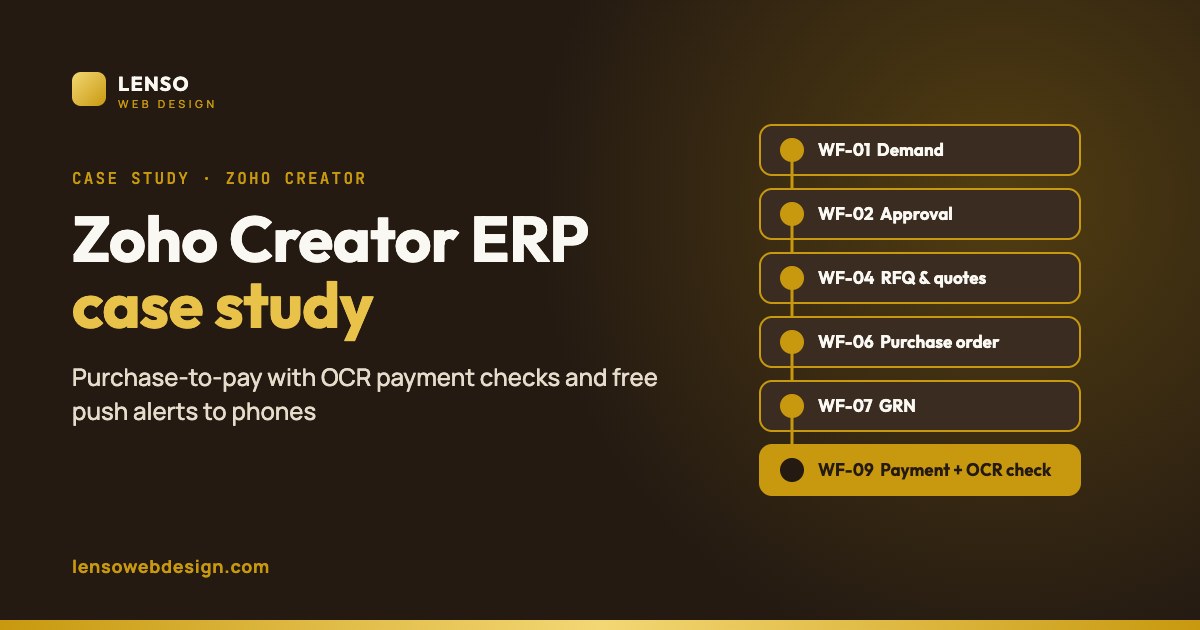
The purchase-to-pay workflows (WF-01 to WF-10)
We gave every stage a standard name so the client, the team and the documentation all use the same words.
| ID | Workflow | Owner | What happens in Zoho Creator |
|---|---|---|---|
| WF-01 | Demand Requisition | Stock Manager | Raises a stock demand with items and quantities. On create, the Production Head, Stock Manager and MD get a push alert. |
| WF-02 | Demand Approval | Production Head | Approves or rejects each item. Rejections record the reason and who rejected, and the demand message shows per-item decisions. |
| WF-03 | Purchase Confirmation | Purchase Manager | Gives the final confirmation that the demand should be bought. |
| WF-04 | Request for Quotation (RFQ) | Purchase Manager | Rate requests go to mapped vendors only when the send icon is pressed, not automatically, so the manager controls which vendors are asked. |
| WF-05 | Quotation Comparison | Purchase Manager | Vendor rates are recorded against the demand and one winning quotation is selected. |
| WF-06 | Purchase Order | Purchase Manager / MD | Below the approval threshold, the Purchase Manager issues the PO directly. Above it, the MD approves first. |
| WF-07 | Goods Receipt Note (GRN) | Stock Manager | Goods received are recorded against the PO, and stock levels update. |
| WF-08 | Bill Booking & Payment Request | Accounts / MD | The vendor bill is linked to the PO; one shared function calculates the payable amount. Payments above the threshold need MD approval. |
| WF-09 | Payment Proof Verification | Accounts | The bank slip is uploaded, read by OCR, and its amount compared live with the amount paid. |
| WF-10 | Role-Based Push Alerts | System | Each event sends a phone notification to the right roles, opening straight into their dashboard. |
Approval rules and thresholds
Early versions sent every purchase and every payment to the MD. That made the MD the bottleneck. After real use, the client changed the rules, and the system changed with them:
| Decision | Before | Now |
|---|---|---|
| Demand approval | MD approved every demand | Production Head approves |
| Vendor rate request | Sent automatically to every mapped vendor | Sent only when the Purchase Manager presses the send icon |
| Purchase order | MD approved | MD approves only above a set amount |
| Payment | MD approved every payment | MD approves only above a set amount |
| Rejected items | Not shown | Listed with the reason and who rejected |
Small purchases now flow without waiting, and the MD only sees the decisions that need him.
We build purchase-to-pay systems in Zoho Creator with mobile approvals, OCR payment checks and free push alerts. Tell us how your team buys today.
Talk to us about your workflowWF-09: payment proof verification with OCR
Every vendor payment now carries proof, and the system checks the proof itself.
How one slip travels
- Upload: Accounts attach the bank slip to the vendor payment record in Creator.
- Store: a Deluge function sends the file to a small PHP endpoint on the client's hosting. The endpoint checks a shared token, checks the file's real type (not just its name), renames it to a random 32-character name and returns a public image link, saved on the payment.
- Read: a second function sends the slip to an OCR endpoint, which calls Google Cloud Vision and returns the amount, a verdict and the full text.
- Compare: the Accounts dashboard compares the slip amount with the paid amount, live.
Accepted files: JPG, PNG, WebP and PDF. WebP was added after staff began saving slips from a messaging app in that format, which had quietly stopped uploads.
How the OCR parser finds the right number
A bank slip is full of numbers. Most of them aren't the amount. The parser:
- Scores the text for payment keywords. Fewer than two, and it reports Not a receipt.
- Drops any line holding an account number, transaction reference, bank code, phone or order number, since those lines never hold the amount.
- Treats comma grouping as a money format on its own, so
3,84,988is read as an amount even when the currency sign didn't survive the scan. - Ignores plain numbers of seven digits or more, and bare years.
- If nothing looks like a headline amount, it still reports the largest number found, as a mismatch, rather than saying nothing was read.
It was tested against every real slip exported from the system before going live.
| Verdict shown | Meaning |
|---|---|
| Verified | Slip amount equals paid amount |
| Slip X vs paid Y | Both read, they disagree: needs a look |
| Not a receipt | Too few payment keywords: wrong file uploaded |
| Amount not read | No usable number: check by hand |
Want the full method, including vendor bank-account checks? Read our guide: Zoho Creator OCR to verify vendor payments and automate GRNs.
WF-10: role-based push alerts
Zoho's built-in push only reaches licensed Creator users inside the Creator app. Apex Precast's managers use the portal, so we built free web push with Firebase Cloud Messaging.
How a notification travels
- A Creator workflow calls one function:
sendAppPush(role, title, body, link). - The function posts to a PHP script on the hosting server, protected by a shared secret.
- The script picks every registered device for that role, gets a Google access token (signed with the service account, cached for an hour) and calls the FCM HTTP v1 API once per device.
- On the phone, a service worker draws the notification. A tap opens the right dashboard in the portal.
Why a server is needed
Firebase's HTTP v1 API needs a token signed with RS256, which Deluge can't produce. A short PHP script on ordinary shared hosting can. The same server also gives payment slips a plain image link that dashboards can display.
Why the payload is data-only
If a Firebase message includes a notification block, the browser shows it by itself and our click handler never runs, so tapping does nothing. Sending data only puts the app in control of both the display and the tap.
Five roles, one map
The role-to-dashboard map lives inside sendAppPush. A workflow passes an empty link and the right page is chosen automatically, so a change happens in one place.
| Event | Alerted roles | Status |
|---|---|---|
| Demand raised (WF-01) | Production Head, Stock Manager, MD | Live |
| Demand approved (WF-02) | Purchase Manager | Agreed, next phase |
| Bill above threshold (WF-08) | MD | Agreed, next phase |
| Bill approved or rejected | Purchase Manager | Agreed, next phase |
| Payment requested / approved | MD / Accounts | Agreed, next phase |
| GRN received (WF-07) | Purchase Manager, Stock Manager | Agreed, next phase |
Full setup guide: Free push notifications for Zoho ERP with Firebase.
Mobile dashboards
Each role opens its own page in the Creator portal: MD dashboard, demand timeline, Purchase Manager dashboard, Accounts dashboard, production dashboards and a read-only production view for the MD.
- Cards on mobile: below 640px, tables turn into labelled cards, so every value has its label on a phone.
- One style system: inline styles were replaced with shared classes, so one change reaches every card.
- Bottom tab bar: five fixed tabs for one-thumb use. Every tab and icon has explicit sizing; without it, icons grew to their default size and tapping one tab opened another.
- Read-only views stay read-only: the MD's production view was checked to contain no inserts, updates, deletes or redirects.
- Demand timeline: one card per demand with a stage grid, so the MD can see where every purchase stands at a glance.
System architecture
| Piece | Why it exists |
|---|---|
| Zoho Creator | Forms, approvals, reports, portal pages and all business rules |
| Shared hosting (PHP) | Signs Firebase tokens (Deluge can't), and gives slip images a public link a page can display |
| Google Cloud Vision | Reads the amount from payment slips |
| Firebase Cloud Messaging | Delivers alerts to portal users' phones, free, with no message cap |
| Zoho Mail | Rate requests and purchase orders to vendors |
Security choices
- Every secret (upload token, Vision key, push secret, Firebase service-account key) lives only on the server or in the one Deluge function that needs it, never in forms or pages.
- The server folder that holds device tokens and keys blocks web access to data and key files.
- Uploaded files are checked by their real type and renamed to random names, so they can't be guessed.
- A standing check before every deploy: search the scripts for leftover placeholder values.
What we learned
Real projects teach things documentation doesn't. These are the issues that cost the most time, and the fixes now built in:
| Symptom | Cause and fix |
|---|---|
| Every upload rejected as "bad token" | The real key had been pasted into the placeholder-check line too. Fix: a pre-test search for placeholder values. |
| Notification arrived, but tapping did nothing | The message carried a notification block, so the browser handled it. Fix: data-only payloads. |
| Slip image blank in the pop-up | Lazy loading inside a hidden container. Fix: load normally, and wrap the image in a link so a tap always opens it. |
"Improper statement" at invokeUrl | The parameter is body:, not content:. |
| Date comparison error | Two date strings compared as text. Fix: convert with .toLong() first. |
| Everyone shown absent | Punch-out equal to punch-in, plus a disabled schedule. Fix: require a minimum gap before marking someone as gone. |
| Device registration stuck | Tested in a private window, where service workers are restricted. Fix: register in a normal window. |
| Google refused to create a service-account key | Two organisation policies blocked it. Fix: remove them with Google Cloud's org-policy tools. |
Zoho Creator Procurement vs a custom Creator build
Zoho also offers Zoho Creator Procurement, a ready-made e-procurement solution built on Creator. It's a good option for many teams, so it's worth comparing honestly with a custom build like this one.
| Zoho Creator Procurement (ready-made) | Custom Creator build (this project) | |
|---|---|---|
| What it covers | Requisitions, purchase orders, GRNs, vendor management and ratings, quote management, budgets with multilevel approvals, taxes, multicurrency and analytics | The same purchasing core, plus stock, production dashboards and attendance, built around this client's exact process |
| Approval rules | Configurable multilevel approvals | Rules written for the business: Production Head approves demands, MD only above a set amount, rejected items keep reason and approver |
| Vendor payments | Not listed among its features on Zoho's page | Payment requests, MD approval above threshold, and slip upload |
| Payment proof check | Not listed | Google Vision OCR reads every slip and compares it with the paid amount |
| Phone alerts for portal users | Zoho notifications and the native Creator mobile app | Free Firebase web push to five roles, tap opens their dashboard |
| Time to start | Fast: configure and go | Longer: designed and built in stages |
| Best for | Teams whose buying process fits a standard procurement flow | Businesses with their own approval rules, production links or payment controls that a standard flow can't match |
How to choose: start with the ready-made solution if your process is close to the standard. Go custom when your approval rules, payment checks or production steps are what make your business different. Both run on Zoho Creator, so a custom layer can also be added on top of a standard setup later.
Results and what's next
- The full purchase-to-pay cycle, from demand to verified payment, now runs in one Zoho Creator system instead of WhatsApp, email and spreadsheets.
- Every approval is recorded with who decided and when; rejected items keep their reason.
- Every vendor payment carries its bank slip, and the slip amount is checked automatically.
- Managers get alerts on their phones and iPads without extra Creator licences or paid push services.
- Approval rules are moving so the MD only sees purchases and payments above a set amount, rolled out stage by stage.
Next phase
- Push alerts for the remaining stages: demand approved, bills and payments above the threshold, approvals and GRNs.
- OCR on GRN invoices to read the vendor and quantities automatically.
- A "sent" marker on the vendor rate-request button, and a mobile rebuild of the vendor dashboard.
Tech stack
Zoho Creator · Deluge · Creator customer portal · Zoho Mail · Google Cloud Vision API · Firebase Cloud Messaging (HTTP v1) · PHP on shared hosting · service workers and web push · responsive HTML/CSS pages inside Creator.
Frequently asked questions
Can Zoho Creator handle a full purchase-to-pay process?
Yes. In this project, demands, approvals, rate requests, quotations, purchase orders, GRNs, bills and payments all run in one custom Creator app, with role-based pages in a Creator portal.
How do you send push notifications to Zoho Creator portal users?
Zoho's built-in push reaches licensed Creator users in the Creator app. For portal users, we use Firebase Cloud Messaging web push: Deluge calls a small PHP script that signs the Firebase token and sends the alert, and a tap opens the user's portal dashboard.
How does OCR verify a vendor payment?
The bank slip is uploaded, stored on the server, and read by Google Cloud Vision. A parser picks out the paid amount and ignores account numbers and references, then the dashboard compares it live with the amount recorded as paid.
Why not let external services write directly into Zoho Creator?
Records created through the API skip form workflows, so validations, emails and stock updates would stop firing. In this design, Creator calls out to each service and writes the result itself.
Should I use Zoho Creator Procurement or a custom Creator app?
Use the ready-made Zoho Creator Procurement if your buying process fits a standard requisition, quote, PO and GRN flow. Choose a custom Creator build when you need your own approval rules, vendor payment checks such as OCR slip verification, or links to stock and production.
Does this need extra paid tools?
Firebase Cloud Messaging is free with no message cap, and Google Vision gives 1,000 scans a month free, which covers typical payment volumes. The PHP scripts run on ordinary shared hosting.
Related
- Zoho Creator OCR: verify vendor payments and automate GRNs
- Free push notifications for Zoho ERP with Firebase
- Zoho and WhatsApp business automation
Sources
- Zoho Creator Procurement
- Zoho Creator Procurement features
- Google Cloud Vision pricing
- Firebase Cloud Messaging
- Zoho Deluge: push notification task
Client name and identifying details changed for confidentiality. Zoho, Google and Firebase features and prices change over time.